PowerChrom Chromatography
Update Your Chromatograph
Upgrade your GC or HPLC, by replacing paper recorders, integrators, and DOS-based data acquisition systems, and work with the latest generation of computing technology.
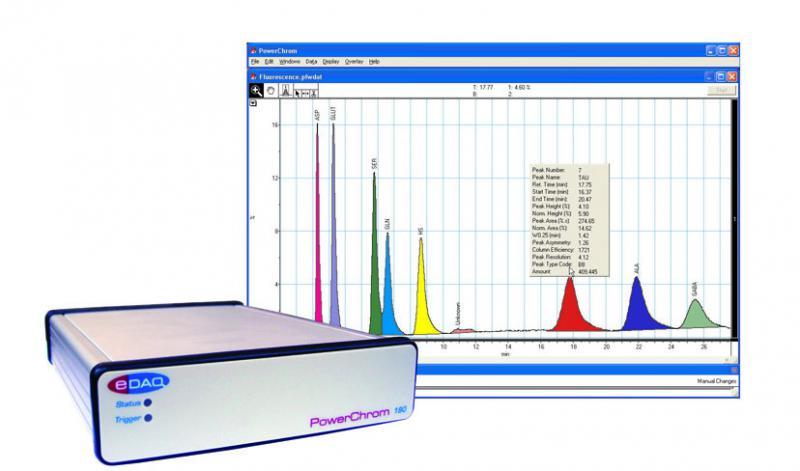
ER180R PowerChrom System
PowerChrom systems are used for the collection, display and analysis of chromatographic data on Windows computers. They can also be used for flow injection analysis (FIA) techniques using the optional Chart software with FIA extension.
Our Chromatography Data Systems (CDS) include:


The PowerChrom Chromatography Data System (CDS) features:
- Turns a Windows PC into a chromatography data workstation
- No programming required – just plug and play
- Collect signals from one (PowerChrom 181) or two (PowerChrom 180) detectors
- Up to 24 bit resolution
- Independently selectable input gains ±20 mV to ±10 V
- Digital signal processing gives superior signal-to-noise ratio
- contact closure for triggering autosamplers etc. (PowerChrom 180 only)
- USB 2.0 and 1.1 compliant
PowerChrom software is also sold separately for use with e-corder recording systems.
Automatic or manual operation is possible (depending on you chromatograph configuration). Autosamplers and fraction collectors can be triggered with contact closure or TTL signals. Multi-run experiments are controlled via sequence documents.
GLP
PowerChrom Chromatography Data System (CDS) is designed to help you with good laboratory practice:
- All runs are date and time stamped
- Methods used for data collection and analysis are recorded
- Extensive annotation facilities store observations, and keep track of sample numbers etc
- Data is saved to hard disk every thirty seconds, and can be recovered in the event of a power outage
- All information (methods, calibrations, peak reports, as well as raw data) is stored in the one convenient data file
- Store up to 999 runs in the one data file
- All intermediate versions of calibration tables can be accessed
Export Friendly
You can export raw chromatograms (as graphics or tabular data), peak reports, and method and sequence tables, to other graphing software, word processors, and spreadsheets.
Manual Peak Editing
For difficult peaks, when adjusting automatic thresholds becomes time consuming, just use manual peak editing to add, delete, skim or otherwise directly edit a peak – just point and click!
Calibration Response Functions
Calibration curves can be fitted with linear, quadratic or even point-to-point (linear interpolation) response functions.
Sequences for Automation
Sequence documents can be used to automate a series of runs when used with a suitable autosampler. (PowerChrom 280 system).